
Concepts
Domains & Verification
How to add a Blackbox target and prove you actually own it.
A domain has to be verified before it can be used as a Blackbox target or attached to a Whitebox scope as a combined target — verification is what gates whether a run against it is allowed to start at all.
Adding a domain
From Domains, add the domain you want to test. It starts in an unverified state — nothing can be run against it yet.
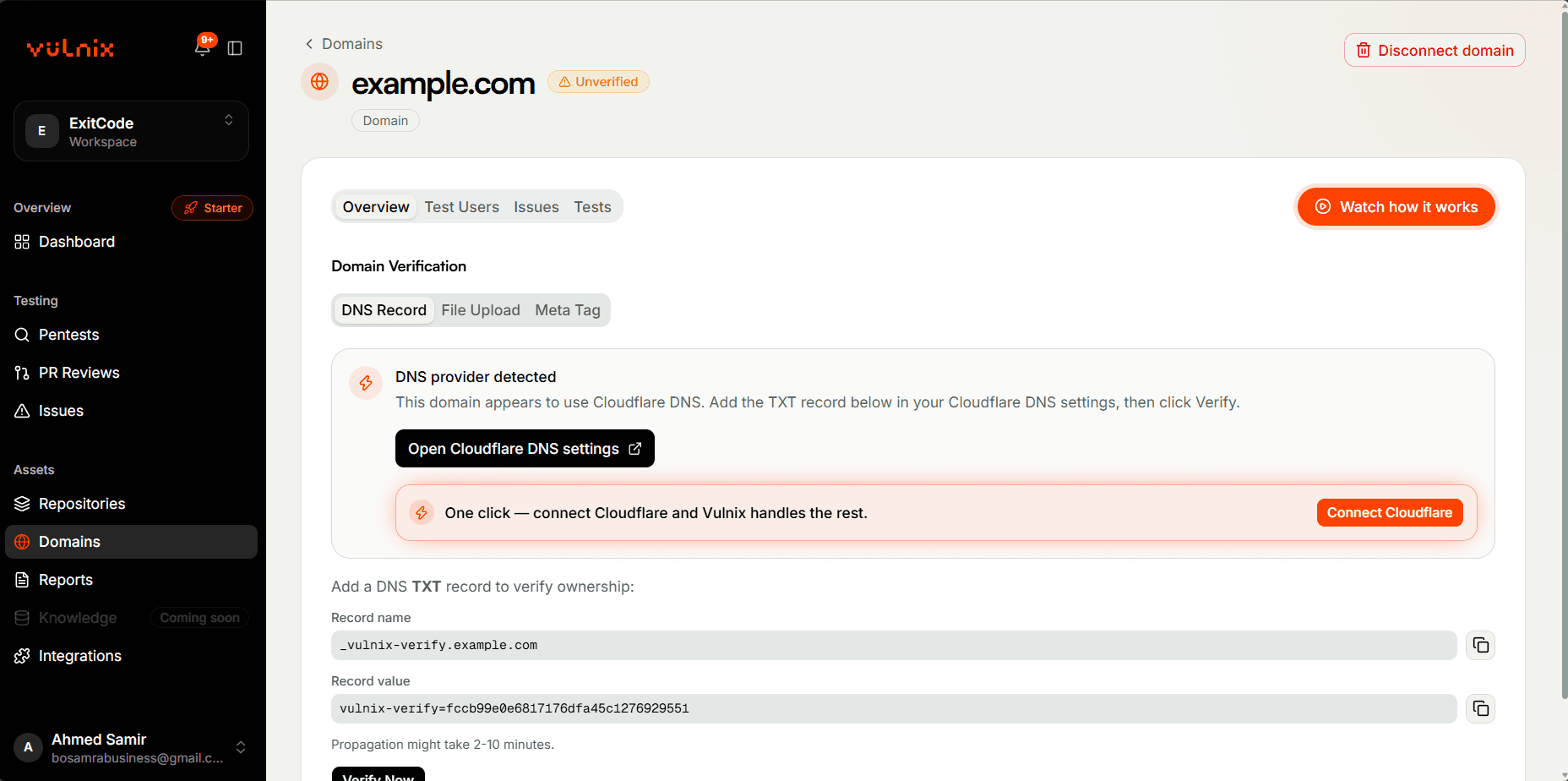
Verifying ownership
Add a TXT record with the name and value Vulnix gives you to your domain's DNS zone, then click Check now. DNS changes usually show up within a few minutes. Works regardless of who hosts your DNS — the most portable option if you're not on Cloudflare or Vercel.
After verification
- The domain's page offers Start a pentest, which opens the pentest wizard with the domain already in Targets, and Add a test user.
- The domain becomes selectable as a Blackbox target in the pentest wizard.
- You can optionally save test-user credentials against it for authenticated testing — see Scoping a Run.
- It becomes eligible to attach to a Whitebox scope as a combined target, still one pentest — see Blackbox vs. Whitebox.


