
Introduction
What Vulnix is, and how an autonomous pentest actually runs.
Vulnix is an agentic AI-pentesting platform. You connect a target — a live web/API asset or a source repository — and an autonomous security-testing agent runs against it inside an isolated sandbox, producing verified findings, a live agent trace, and an exportable report. The same engine also runs as an automated reviewer on your GitHub pull requests.
Vulnix is the product and orchestration layer around that engine: organizations, scoping, run lifecycle, findings triage, and reporting. The agent itself does the actual testing; Vulnix is what makes that testing safe to run repeatedly, easy to scope, and useful to act on afterward.
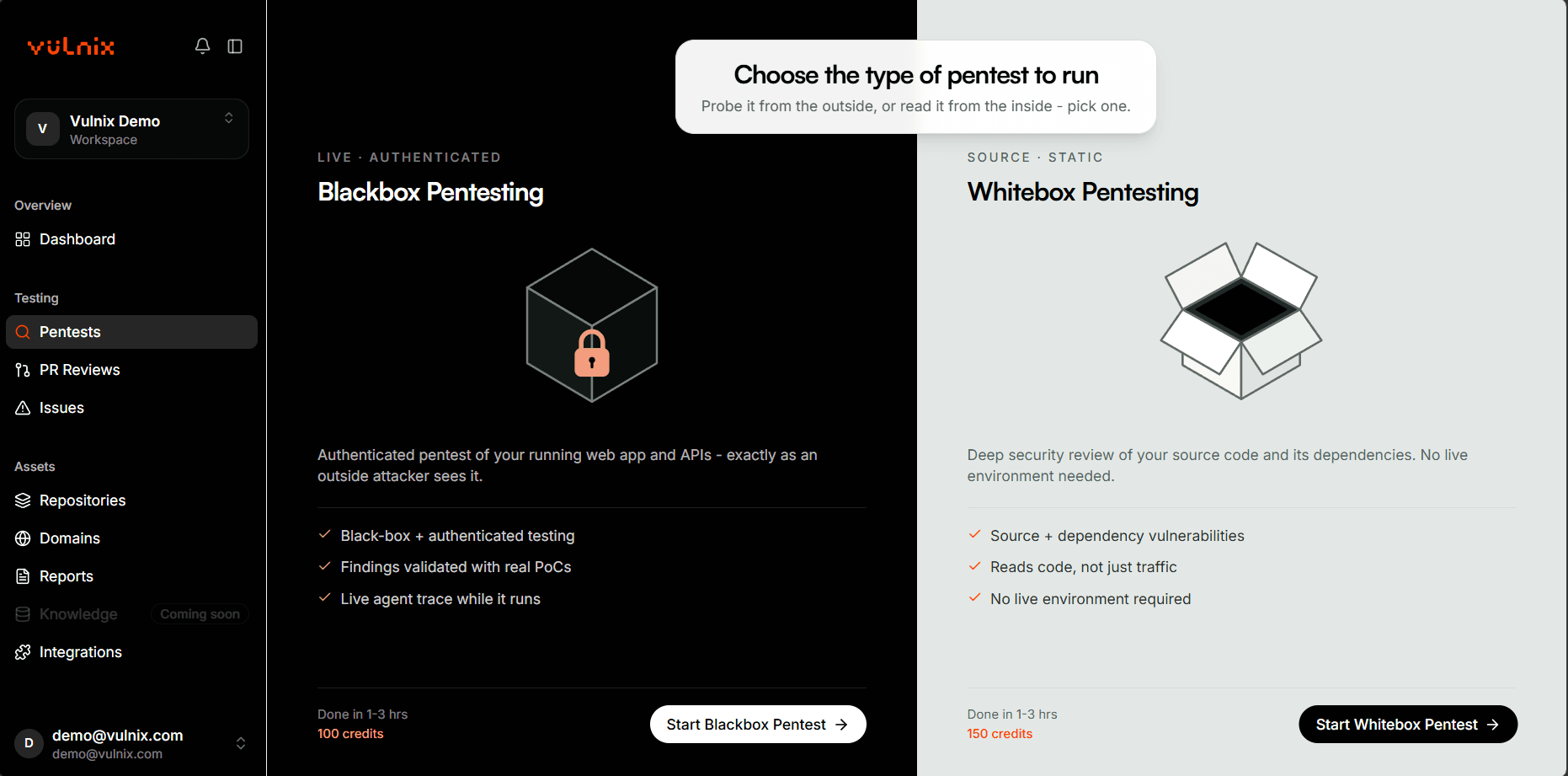
The two ways to test
Blackbox
Your target is a live web app, API, or public IP range. Vulnix tests it over the network, the way an external attacker would.
Whitebox
Your target is a connected source repository. Vulnix clones it into the sandbox and tests the code directly, with access to context an external attacker wouldn't have.
What a run produces
- Findings — each with severity, a CWE/CVE where applicable, reproduction evidence, and (for whitebox findings) an exact code location.
- An agent trace — a live, then permanent, record of what the agent actually did: the sub-agents it spawned, the tools it called, and why.
- A report — exportable as PDF, DOCX, JSON, or SARIF (the last one built for feeding straight into a CI pipeline).
Where to go next
Getting Started
Connect your first target and launch a run, start to finish.
Scoping a Run
Every configuration option available when defining a scope.
Findings & Reports
Severity, evidence, remediation actions, and every export format.
Dashboard
The analytics view of your organization's security posture over time.
Security & Trust
Run isolation, credential handling, and what's audited.
Billing & Plans
The plans, what a pentest and a PR review count as, and what Free includes.
Glossary
The vocabulary this documentation uses throughout.
FAQ
Quick answers to what people ask before and during their first scan.
Getting Help
Support contact and platform status, for when these docs don't cover it.


